
PC & Console Gaming
The Ultimate Console Setup Guide: Smart & Fun Gaming

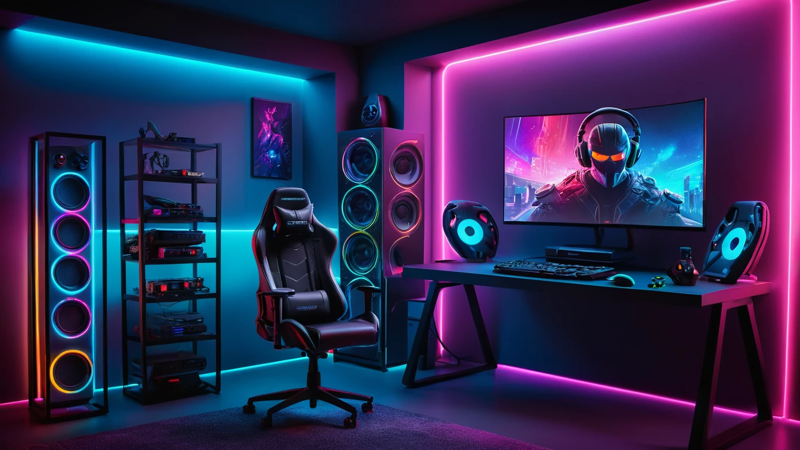
The ultimate console setup guide helps you pick the best gaming accessories for comfort, performance, and immersive play.
A great console setup blends comfort, performance, and immersion using the right accessories like controllers, headsets, displays, and storage. The right setup improves gameplay, reduces fatigue, and enhances your overall gaming experience, whether you’re casual or competitive.
The Ultimate Console Setup Guide: Accessories Every Gamer Needs 🎮
Ever wondered why some gamers enjoy smoother gameplay and longer sessions without feeling tired? The secret isn’t just skill—it’s their console setup.
A well-designed setup helps you play better, react faster, and enjoy games more. It’s not about spending big money. It’s about choosing the right accessories that fit your needs.
Let’s break down everything you need to build your dream gaming setup 👇
Why A Good Console Setup Matters 🎯
A proper setup can change your gaming experience completely. It improves comfort, focus, and performance. You feel more in control during intense moments.
Think about long gaming sessions. Without a good setup, your back hurts, your hands tire, and your eyes strain. That’s where the right accessories come in.
A solid setup helps you:
- Stay comfortable for hours
- React faster in games
- Reduce stress on your body
- Enjoy immersive gameplay
Choosing The Right Gaming Console 🕹️
Your console is the heart of your setup. Everything depends on it. Choose one based on your gaming style and budget.
Some gamers prefer performance. Others focus on exclusive games. Pick what suits you best.
Things to consider:
- Game library
- Performance (FPS, resolution)
- Online features
- Controller feel
Essential Gaming Controller Upgrades 🎮
Stock controllers are good, but upgrades make them better. They improve grip, control, and accuracy.
You can customize your controller to match your play style. This gives you an edge in competitive games.
Popular upgrades include:
- Thumb grips for better control
- Trigger stops for faster shooting
- Back paddles for advanced gameplay
- Silicone covers for comfort
High-Quality Gaming Headsets For Immersion 🎧
Sound is everything in gaming. A good headset lets you hear footsteps, gunshots, and small details clearly.
It also helps with communication in multiplayer games. Clear audio gives you a serious advantage.
Look for:
- Surround sound
- Noise cancellation
- Comfortable ear cushions
- Clear microphone
“Great audio can turn a good player into a great one.” 🎯
The Importance Of A Responsive Display 🖥️
Your screen affects your gameplay more than you think. A fast display reduces lag and improves reaction time.
Low response time and high refresh rate make visuals smooth. This is key for competitive gaming.
Display Comparison
| Feature | TV | Gaming Monitor |
| Input Lag | Higher | Lower |
| Refresh Rate | 60Hz | 120Hz+ |
| Response Time | Slower | Faster |
| Gaming Experience | Casual | Competitive |
Gaming Chairs For Comfort And Support 🪑
Comfort matters more than you think. A good chair supports your back and posture.
Without proper support, you may feel pain after long sessions. This affects your performance.
Choose a chair with:
- Adjustable height
- Lumbar support
- Armrests
- Breathable material
Must-Have Storage Solutions 💾
Games today are huge. You’ll run out of space quickly without extra storage.
External drives help you store more games without deleting old ones.
Storage Options
| Storage Type | Speed | Capacity | Best Use Case |
| HDD | Slower | High | Budget storage |
| SSD | Faster | Medium | Quick loading games |
| NVMe SSD | Very Fast | Medium | High-performance gaming |
Cable Management For Clean Setup 🔌
Messy cables ruin your setup. They look bad and can even cause problems.
A clean setup improves focus and makes your space look professional.
Tips:
- Use cable clips
- Try cable sleeves
- Label wires
- Keep power strips hidden
Lighting Setup For Gaming Ambience 💡
Lighting sets the mood. It makes your setup look cool and immersive.
RGB lights are popular for gaming rooms. They add color and style.
Best lighting ideas:
- LED strips behind desk
- Backlight for TV/monitor
- Smart bulbs
- Ambient room lighting
Gaming Desk Essentials 🧩
Your desk holds everything together. It should be strong, spacious, and organized.
A clutter-free desk improves focus and gameplay.
Must-have desk features:
- Enough space for accessories
- Cable management holes
- Strong build quality
- Adjustable height (optional)
Cooling Accessories For Performance ❄️
Heat can slow down your console. Cooling helps maintain performance.
Overheating can reduce lifespan. It’s better to prevent it early.
Useful cooling tools:
- Cooling stands
- External fans
- Ventilated space
Internet Setup For Lag-Free Gaming 🌐
Lag can ruin your game instantly. A stable internet connection is a must.
Wired connections are always better than wireless.
Internet Setup Comparison
| Connection Type | Stability | Speed | Best For |
| Wi-Fi | Medium | Medium | Casual gaming |
| Ethernet | High | High | Competitive gaming |
Audio Systems Beyond Headsets 🔊
Sometimes, you want room-filling sound. Speakers give a cinematic experience.
They are perfect for story-based games and casual play.
Consider:
- Soundbars
- Surround speakers
- Subwoofers
Personalizing Your Gaming Setup 🎨
Your setup should reflect your personality. Add elements that make it yours.
This makes gaming more enjoyable and exciting.
Ideas:
- Posters
- Action figures
- Custom skins
- Themed setups
Budget Vs Premium Setup Choices 💰
You don’t need a huge budget for a great setup. Smart choices matter more.
Premium setups offer better performance and comfort. Budget setups can still be effective.
Budget Setup:
- Basic headset
- Standard controller
- Simple desk
Premium Setup:
- Pro controller
- Gaming monitor
- RGB lighting
- High-end headset
Common Mistakes To Avoid ⚠️
Many gamers make simple mistakes. Avoiding them can save money and improve your setup.
Common errors:
- Ignoring comfort
- Buying unnecessary accessories
- Poor cable management
- Choosing wrong display
Step-By-Step Setup Checklist ✅
Follow this simple plan to build your setup:
- Choose your console
- Pick a display
- Add controller upgrades
- Get a headset
- Set up storage
- Organize cables
- Add lighting
- Personalize your space
Conclusion 🎯
A great console setup is not about spending the most money. It’s about making smart choices. The right accessories improve comfort, boost performance, and make gaming more fun.
Start small, upgrade over time, and focus on what matters most to you. Your perfect setup is the one that fits your style and needs.
FAQs ❓
What accessories improve console gaming setup?
Accessories like headsets, controllers, and monitors improve gameplay. They enhance comfort and performance. Choose based on your needs.
How to build a budget gaming setup?
Start with essentials like a good controller and headset. Use a basic desk and TV. Upgrade slowly over time.
Is a monitor better than a TV for gaming?
Yes, monitors offer lower input lag and faster response times. They improve reaction speed. Ideal for competitive gaming.
What is the best headset for console gaming?
Choose one with surround sound and comfort. A good mic is important. It helps in multiplayer games.
How to reduce lag in console gaming?
Use an Ethernet cable instead of Wi-Fi. Close background apps. Ensure stable internet speed.

Top Features To Look For In A Gaming Chair – Ultimate Comfort Guide

Assassin’s Creed: Shadows Review – Stunning Stealth Comeback

5 Hidden Windows Settings That Instantly Boost Game Performance Fast

How Cross-Platform Gaming Is Breaking Barriers Between Consoles
