
PC & Console Gaming
How To Choose Gaming Laptop Or Desktop Smartly

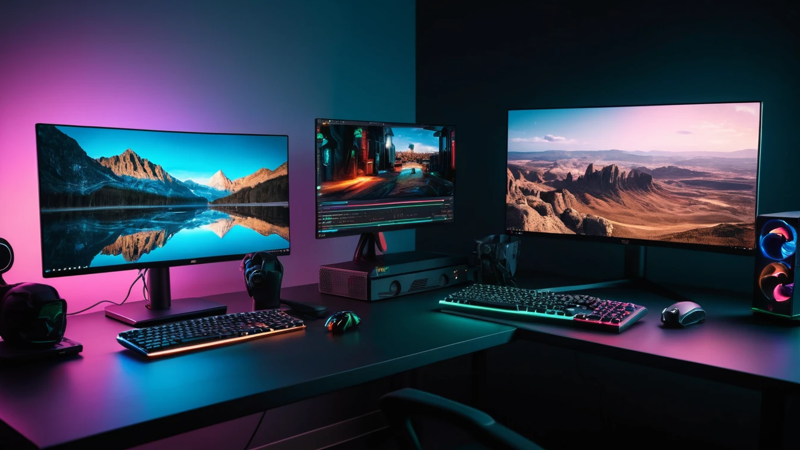
How To Choose Gaming Laptop Or Desktop? Discover the best option based on performance, budget, and portability in this easy guide.
Choosing between a gaming laptop and a desktop depends on your priorities. Pick a laptop for portability and convenience. Choose a desktop for better performance, upgrade options, and long-term value.
How To Choose Gaming Laptop Or Desktop 🎮
Ever wondered if you’re wasting money by choosing the wrong gaming setup? 🤔
Here’s the truth: there’s no one-size-fits-all answer. The best choice depends on how you play, where you play, and what you expect from your gaming experience.
If you travel often or need flexibility, a gaming laptop is your best bet. But if you want raw power, smoother gameplay, and future upgrades, a desktop is the smarter move.
Let’s break everything down so you can make the right call with confidence.
🎯 Understanding Your Gaming Needs First
Before comparing specs, ask yourself one simple question: How do I actually game?
Do you play casually after work, or are you chasing ultra settings and high frame rates? Your gaming habits matter more than hardware specs. A casual gamer doesn’t need a bulky desktop tower.
Also think about your daily routine. If you move around often, a desktop may feel limiting. But if you mostly game at home, a laptop’s portability might go unused.
💻 What Is A Gaming Laptop?
A gaming laptop is a portable machine built for performance. It packs a powerful CPU, GPU, and cooling system into a compact design.
These devices are perfect for gamers who want flexibility. You can game anywhere—your desk, couch, or even while traveling ✈️.
However, due to size limits, gaming laptops often sacrifice some power compared to desktops. They also tend to run hotter and louder.
🖥️ What Is A Gaming Desktop?
A gaming desktop is a stationary PC designed for maximum performance. It includes separate components like a tower, monitor, keyboard, and mouse.
Desktops deliver better cooling, higher performance, and easier upgrades. You can swap parts like GPUs or RAM whenever needed.
The downside? They are not portable. Once set up, they stay in one place.
⚡ Performance Differences Explained
When it comes to performance, desktops usually win. They have larger components and better airflow, allowing higher speeds.
Gaming laptops use smaller, power-efficient parts. While still powerful, they may struggle with ultra-high settings in demanding games.
👉 Key takeaway:
- Desktops = Higher performance
- Laptops = Balanced performance + portability
💰 Price Comparison And Value
Gaming laptops often cost more for the same performance level. You’re paying for portability and compact engineering.
Desktops give better value. You can build a powerful setup at a lower cost or upgrade gradually over time.
Here’s a simple comparison:
| Feature | Gaming Laptop | Gaming Desktop |
| Initial Cost | Higher | Lower |
| Performance Per Dollar | Moderate | High |
| Upgrade Cost | Expensive | Affordable |
| Longevity | Shorter | Longer |
🚀 Portability Vs Power
Portability is where laptops shine. You can carry your entire setup in a backpack 🎒.
Desktops, on the other hand, are built for stability and power. They are perfect for a dedicated gaming space.
If you’re always on the move, a desktop will feel restrictive. But if you game mostly at home, portability may not matter.
🔧 Upgrade And Customization Options
Desktops are incredibly flexible. You can upgrade almost everything—from GPU to cooling systems.
Gaming laptops are limited. Most allow only RAM and storage upgrades.
If you like tweaking your setup or staying updated with new tech, desktops are the better choice.
🌡️ Cooling And Heat Management
Cooling plays a big role in gaming performance. Desktops have larger fans and better airflow.
Laptops struggle with heat due to their compact design. This can lead to thermal throttling during long sessions.
🔥 Translation: Desktops stay cooler and perform better over time.
🔋 Battery Life And Power Usage
Gaming laptops rely on battery power, but heavy gaming drains it quickly. Most require constant charging during gameplay.
Desktops don’t have battery concerns. They run directly on power, ensuring consistent performance.
If you want uninterrupted gaming, desktops offer a smoother experience.
🎮 Gaming Experience And Graphics Quality
Desktops typically provide better graphics performance. They can handle higher resolutions and frame rates.
Laptops are improving fast, but still fall slightly behind in high-end gaming scenarios.
If you’re aiming for 4K gaming or competitive esports, desktops have the edge.
🔊 Noise Levels And Comfort
Gaming laptops can get noisy due to smaller fans working harder. This can affect immersion.
Desktops are quieter, especially with advanced cooling setups.
👉 If you value a calm gaming environment, desktops win again.
🧳 Space Requirements And Setup
Gaming laptops are compact. They require minimal setup and save space.
Desktops need a dedicated area with room for monitors, cables, and accessories.
Here’s a quick comparison:
| Factor | Laptop | Desktop |
| Space Needed | Minimal | High |
| Setup Time | Quick | Moderate |
| Mobility | High | None |
🛠️ Maintenance And Longevity
Desktops are easier to maintain. Cleaning and replacing parts is simple.
Laptops require careful handling and professional repairs in many cases.
Over time, desktops tend to last longer due to upgrade flexibility.
🎯 Best For Casual Gamers
If you play occasionally, a gaming laptop is often enough. It offers convenience and decent performance.
You don’t need extreme specs for casual gaming. A mid-range laptop can handle most titles easily.
Plus, you can use it for work, school, and entertainment.
🏆 Best For Hardcore Gamers
Serious gamers should consider desktops. They deliver the performance needed for competitive gaming.
You’ll get higher frame rates, better cooling, and smoother gameplay.
💡 If winning matters, go desktop.
🧠 Future-Proofing Your Investment
Technology changes fast. Desktops allow you to upgrade parts instead of replacing the whole system.
Laptops become outdated quicker. Upgrading them is limited and costly.
👉 For long-term value, desktops are the smarter investment.
⚖️ Pros And Cons Breakdown
Here’s a quick summary:
| Aspect | Gaming Laptop | Gaming Desktop |
| Portability | Excellent | None |
| Performance | Good | Excellent |
| Upgradeability | Limited | Extensive |
| Cost Efficiency | Lower | Higher |
| Lifespan | Shorter | Longer |
🧩 Final Decision Checklist
Before you decide, ask yourself:
- Do I need portability?
- What is my budget?
- How important is performance?
- Do I want to upgrade later?
✔️ Choose a laptop if flexibility matters.
✔️ Choose a desktop if performance matters.
🏁 Conclusion
Choosing between a gaming laptop and desktop comes down to your lifestyle and priorities. Laptops offer convenience and portability, making them perfect for gamers on the move. Desktops deliver unmatched performance, better cooling, and long-term value.
If you want flexibility, go with a laptop. If you want power and future upgrades, a desktop is the clear winner.
👉 The best choice is the one that fits how you play.
❓ FAQs
- Should I buy a gaming laptop or desktop for beginners?
A gaming laptop is easier for beginners. It’s simple to set up and portable. Desktops require more knowledge but offer better performance.
- Is gaming laptop good for long sessions?
Gaming laptops can handle long sessions but may overheat. Cooling pads can help improve performance. Desktops are better for extended gaming.
- Which is cheaper gaming laptop or desktop setup?
Desktops are usually cheaper for the same performance. You get better value per dollar. Laptops cost more due to portability.
- Can gaming laptops be upgraded later?
Most gaming laptops allow limited upgrades. You can upgrade RAM and storage. Major components like GPU are usually fixed.
- Do gaming desktops last longer than laptops?
Yes, gaming desktops last longer. You can upgrade parts over time. Laptops become outdated faster due to limited upgrades.

Top Features To Look For In A Gaming Chair – Ultimate Comfort Guide

Assassin’s Creed: Shadows Review – Stunning Stealth Comeback

5 Hidden Windows Settings That Instantly Boost Game Performance Fast

How Cross-Platform Gaming Is Breaking Barriers Between Consoles
