
Gaming Tech & Accessories
How To Build An Ergonomic Gaming Setup Effortlessly

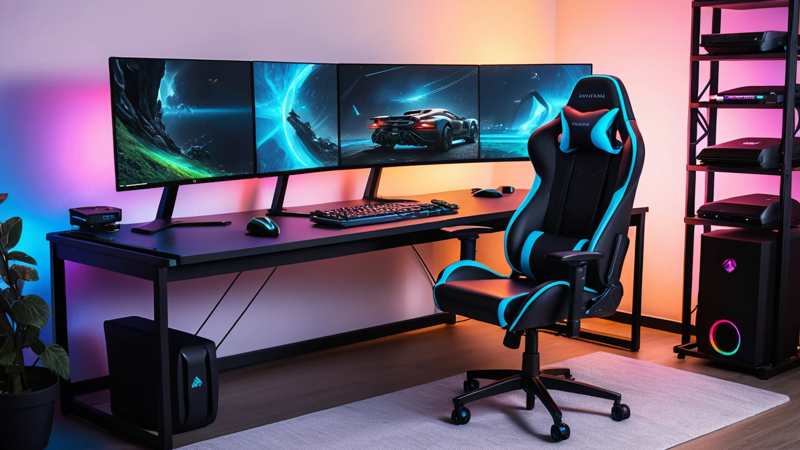
How to build an ergonomic gaming setup that boosts comfort, reduces pain, and improves performance for long sessions. Easy tips for gamers.
To build an ergonomic gaming setup for long sessions, focus on proper posture, adjustable furniture, correct monitor height, and supportive accessories. A well-designed setup reduces strain, improves comfort, and boosts performance during extended gameplay.
How To Build An Ergonomic Gaming Setup For Long Sessions 🎮
Ever finished a long gaming session feeling stiff, sore, or exhausted instead of energized?
If yes, your setup—not your skills—is the problem.
Building an ergonomic gaming setup means designing your space to support your body. This reduces strain, prevents injuries, and keeps you comfortable for hours. With the right chair, desk, monitor placement, and accessories, you can game longer without pain—and even perform better.
Let’s break it down step by step 👇
Why Ergonomics Matter For Gamers 🧠
Gaming for long hours can take a toll on your body. Poor posture leads to back pain, neck strain, and even wrist injuries. Over time, these issues can become serious.
Ergonomics focuses on aligning your body naturally while you sit and play. When everything is positioned correctly, your muscles stay relaxed. This reduces fatigue and helps you stay focused longer.
Comfort isn’t a luxury—it’s a performance tool.
Signs Your Current Setup Is Hurting You ⚠️
Not sure if your setup is bad? Your body gives clear signals.
If you often feel discomfort after gaming, that’s a warning. Pain is not normal—it’s a sign something needs fixing.
Look out for these signs:
- Neck stiffness after sessions
- Lower back pain
- Tingling in hands or fingers
- Eye strain or headaches
- Slouched posture
Ignoring these can lead to long-term injuries.
Choosing The Right Gaming Chair 🪑
Your chair is the foundation of your setup. A bad chair ruins everything else.
Look for a chair with adjustable height, lumbar support, and armrests. It should support the natural curve of your spine. Avoid chairs that force you into awkward positions.
A good ergonomic chair allows movement. You should be able to lean slightly back and adjust easily. This keeps your body from staying rigid.
Key Features Of An Ergonomic Chair 🔍
Not all gaming chairs are equal. Focus on features that truly matter.
Here’s what to prioritize:
| Feature | Why It Matters |
| Lumbar Support | Keeps your lower back aligned |
| Adjustable Height | Ensures proper desk alignment |
| Armrests | Reduces shoulder strain |
| Recline Function | Allows posture variation |
| Breathable Material | Prevents overheating |
A chair with these features can dramatically improve comfort.
Setting The Perfect Desk Height 📏
Your desk height affects your entire posture. If it’s too high or too low, your arms and shoulders suffer.
Ideally, your elbows should form a 90-degree angle when resting on the desk. Your shoulders should stay relaxed, not raised.
If your desk isn’t adjustable, consider using a chair with height control or adding a footrest. Small adjustments can make a big difference.
Ideal Monitor Placement For Eye Comfort 👀
Your monitor should sit at eye level. Looking up or down strains your neck over time.
Place the screen about an arm’s length away. The top of the screen should align with your eye level or slightly below.
Avoid glare from windows or lights. This reduces eye strain and helps you focus longer.
Keyboard And Mouse Positioning Tips ⌨️
Your hands should rest comfortably while gaming. Poor positioning leads to wrist pain.
Keep your keyboard flat or slightly tilted. Your wrists should stay straight—not bent. The mouse should be close enough to avoid stretching.
Try this:
- Keep wrists neutral
- Use a wrist rest if needed
- Avoid excessive reaching
These small changes protect your hands during long sessions.
The Importance Of Proper Posture 🧍
Good posture is the backbone of ergonomics.
Sit with your back straight and supported. Your feet should rest flat on the floor. Avoid crossing your legs for long periods.
Your head should align with your spine—not leaning forward. This prevents neck strain.
Sit like you’re being gently pulled upward from the top of your head.
Lighting Setup For Reduced Eye Strain 💡
Lighting plays a huge role in comfort. Poor lighting leads to tired eyes and headaches.
Use soft, indirect lighting. Avoid harsh overhead lights or complete darkness. A balanced setup works best.
Consider adding:
- LED bias lighting behind your monitor
- Warm ambient lights
- Adjustable desk lamps
This creates a comfortable visual environment.
Using Accessories For Extra Comfort 🎯
Accessories can enhance your setup significantly.
They may seem small, but they add up over time.
Popular ergonomic accessories include:
- Footrests
- Wrist supports
- Monitor stands
- Seat cushions
Each one targets a specific comfort issue.
Best Desk Setup Layout For Efficiency 🖥️
A clean and organized desk improves both comfort and focus.
Keep essential items within easy reach. Avoid clutter that forces awkward movements.
Here’s a simple layout guide:
| Area | What To Place |
| Center | Monitor |
| Front | Keyboard & Mouse |
| Side | Accessories |
| Under Desk | Footrest |
An efficient layout reduces unnecessary strain.
How To Adjust Your Setup For Long Sessions ⏱️
Even the best setup needs adjustments during long gaming sessions.
Your body isn’t meant to stay still for hours. Small changes help maintain comfort.
Try these habits:
- Adjust your chair every hour
- Stretch your arms and legs
- Shift your sitting position
- Take short breaks
Movement keeps your body healthy.
The Role Of Breaks And Movement 🚶
No setup can replace movement.
Taking breaks is essential for long-term health. Even a perfect setup won’t prevent stiffness if you sit too long.
Follow the 20-20-20 rule:
- Every 20 minutes
- Look at something 20 feet away
- For 20 seconds
This reduces eye strain and refreshes your focus.
Choosing The Right Gaming Desk 🧩
Your desk should support your entire setup.
Look for a desk with enough space for your monitor, keyboard, and accessories. Stability is key—no wobbling.
Adjustable desks are ideal. They allow you to switch between sitting and standing, which improves circulation.
Common Ergonomic Mistakes To Avoid ❌
Many gamers unknowingly make mistakes that harm their posture.
Avoid these common errors:
- Sitting too close to the screen
- Using a chair without support
- Ignoring posture
- Keeping wrists bent
- Skipping breaks
Fixing these mistakes can instantly improve comfort.
Budget-Friendly Ergonomic Setup Tips 💰
You don’t need expensive gear to improve ergonomics.
Simple changes can make a big difference.
Here are some budget tips:
- Use books as a monitor stand
- Add a cushion for lumbar support
- Adjust chair height properly
- Improve lighting with affordable lamps
Smart adjustments beat expensive mistakes.
Creating A Personalized Gaming Environment 🎨
Your setup should match your needs.
Everyone’s body is different. What works for one gamer may not work for another.
Experiment with:
- Chair height
- Desk position
- Monitor angle
- Lighting setup
Comfort is personal—customize your space.
Ergonomic Setup Checklist ✅
Before you start gaming, run through this quick checklist:
| Element | Ideal Setup |
| Chair | Supports lower back |
| Monitor | Eye level |
| Keyboard | Elbows at 90° |
| Feet | Flat on floor |
| Lighting | Soft and balanced |
This ensures everything is aligned for comfort.
Conclusion 🎯
Building an ergonomic gaming setup isn’t just about comfort—it’s about longevity and performance. When your body feels good, your focus improves, and your gameplay sharpens.
Start with the basics: a supportive chair, proper monitor height, and good posture. Then refine your setup with accessories and smart habits. Small changes today can prevent big problems tomorrow.
Game smarter, not harder.
FAQs ❓
How to make gaming setup ergonomic at home?
Start by adjusting your chair and monitor height. Keep your back supported and wrists straight. Add simple accessories like cushions or footrests for extra comfort.
What is best posture for long gaming sessions?
Sit upright with your back supported and feet flat. Keep your head aligned with your spine. Avoid slouching or leaning forward.
How to reduce wrist pain while gaming?
Keep your wrists in a neutral position. Use a wrist rest if needed. Avoid bending your wrists during gameplay.
How far should monitor be from eyes gaming?
Your monitor should be about an arm’s length away. The top of the screen should be at or slightly below eye level. This reduces strain on your neck and eyes.
Can ergonomic setup improve gaming performance?
Yes, it helps you stay comfortable and focused longer. Less pain means fewer distractions. This can improve reaction time and overall gameplay.

Top Features To Look For In A Gaming Chair – Ultimate Comfort Guide

Assassin’s Creed: Shadows Review – Stunning Stealth Comeback

5 Hidden Windows Settings That Instantly Boost Game Performance Fast

How Cross-Platform Gaming Is Breaking Barriers Between Consoles
