
Gaming Tech & Accessories
Top 10 Must-Have Accessories For Streamers That Boost Success

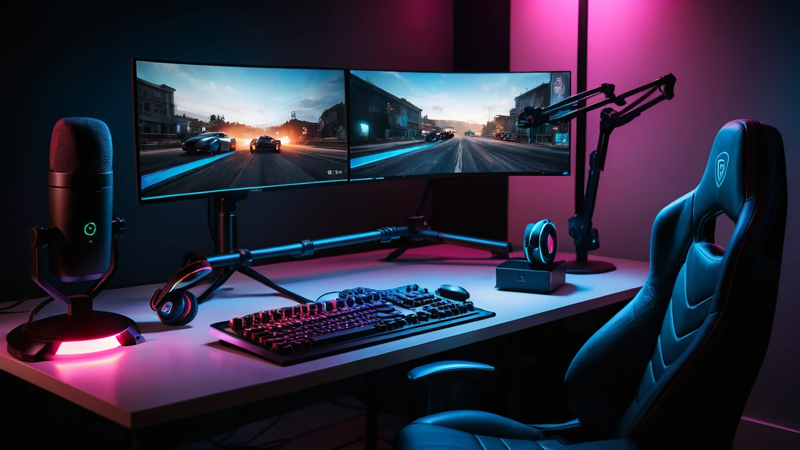
Top 10 must-have accessories for streamers to improve audio, video, and engagement. Build a pro streaming setup easily.
Top 10 Must-Have Accessories For Streamers. Streaming success isn’t just about skill—it’s about setup. The right accessories can instantly improve your audio, video, and overall viewer experience, helping you grow faster and stand out from the crowd.
Top 10 Must-Have Accessories For Streamers
Ever wondered why some streamers look and sound so professional, even with small audiences? 🤔
Here’s the truth: it’s not just talent—it’s their gear.
If you want to grow your stream, you need the right accessories. These tools don’t just make things look better—they make people stay longer. And more watch time = more growth.
🎯 Why Accessories Matter For Streamers
Streaming is all about experience. Viewers don’t just watch—you’re entertaining them in real-time.
If your mic sounds bad or your camera is blurry, people will leave quickly. Even if your content is amazing.
Accessories help you:
- Improve quality instantly
- Build a professional brand
- Keep viewers engaged longer
👉 Think of it like this: good gear doesn’t replace skill—but it amplifies it.
🎥 High-Quality Webcam For Clear Video
A good webcam is your first impression. If your video looks sharp, people trust you more.
Most beginners use built-in laptop cameras. That’s a big mistake. They often look grainy and dull.
A dedicated webcam gives you:
- Better resolution (1080p or 4K)
- Improved lighting handling
- Smooth frame rates
💡 If viewers can clearly see your reactions, they feel more connected.
🎙️ Professional Microphone For Crisp Audio
Audio matters more than video. Yes, seriously.
People can tolerate average video, but bad audio? They’ll leave instantly.
A quality microphone helps you:
- Sound clear and natural
- Reduce background noise
- Build authority
Popular types include:
- USB microphones (easy setup)
- XLR microphones (pro-level quality)
✨ Clear sound = better engagement.
🎧 Noise-Canceling Headphones For Focus
Streaming can get chaotic. Game sounds, chat alerts, and background noise all mix together.
Noise-canceling headphones help you stay focused.
They allow you to:
- Hear game audio clearly
- Avoid distractions
- Monitor your own sound
🎮 This leads to better gameplay and smoother interaction with your audience.
💡 Ring Light Or Softbox For Perfect Lighting
Lighting can make or break your stream.
Even the best camera looks bad in poor lighting. Shadows and dull colors ruin your visual quality.
A ring light or softbox:
- Brightens your face evenly
- Removes harsh shadows
- Makes your stream look clean
✨ Good lighting = instant glow-up for your stream.
Streaming Lighting Setup Comparison
| Lighting Type | Best For | Price Range | Ease Of Use |
| Ring Light | Face lighting | Low | Very Easy |
| Softbox | Full setup | Medium | Moderate |
| LED Panels | Advanced setups | High | Moderate |
🎮 Capture Card For Console Streaming
If you stream from a console, a capture card is essential.
It connects your console to your PC and streams gameplay smoothly.
Without it, your stream may lag or lose quality.
Benefits include:
- High-quality gameplay capture
- Smooth streaming performance
- Better control over visuals
🎯 This is a must-have for console gamers.
🪑 Comfortable Gaming Chair For Long Sessions
Streaming isn’t short—it can last hours.
A bad chair leads to:
- Back pain
- Poor posture
- Fatigue
A good gaming chair:
- Supports your spine
- Keeps you comfortable
- Helps you stay energetic
💡 Comfort directly affects your performance on stream.
🎛️ Stream Deck For Easy Controls
Want to switch scenes or play sound effects instantly? A stream deck makes it simple.
Instead of clicking around, you press one button.
It helps you:
- Control scenes
- Trigger alerts
- Manage transitions
⚡ This makes your stream look super professional.
Stream Deck Benefits Overview
| Feature | Impact On Streaming |
| One-Touch Controls | Faster workflow |
| Custom Buttons | Personalized setup |
| Automation | Less stress while streaming |
🌐 Green Screen For Clean Background
Not everyone has a perfect room setup. That’s where a green screen helps.
It lets you:
- Remove messy backgrounds
- Add custom visuals
- Create immersive scenes
🎥 You can look like you’re inside the game!
🔊 External Speakers For Better Audio Control
Headphones are great, but sometimes you need speakers.
External speakers help you:
- Test audio quality
- Monitor alerts
- Adjust sound balance
They’re especially useful when editing or reviewing streams.
🖥️ Dual Monitor Setup For Multitasking
Streaming is not just playing a game.
You need to:
- Read chat
- Monitor stream health
- Control software
A dual monitor setup makes everything easier.
👉 One screen for gaming, one for streaming tools.
Single Vs Dual Monitor Setup
| Setup Type | Productivity | Ease Of Use |
| Single Monitor | Limited | Simple |
| Dual Monitor | High | Very Efficient |
🎚️ Audio Mixer For Advanced Sound Control
If you want full control over your sound, an audio mixer is key.
It allows you to:
- Adjust multiple audio sources
- Balance game and voice sound
- Add effects
🎙️ This is perfect for streamers who want a polished, pro-level setup.
🔌 Cable Management Tools For Clean Setup
Messy cables = messy setup.
Cable management tools help you:
- Organize wires
- Improve desk aesthetics
- Prevent accidents
✨ A clean setup looks more professional on camera.
📷 DSLR Or Mirrorless Camera For Pro Streams
Want to level up even more? Upgrade to a DSLR or mirrorless camera.
These cameras offer:
- Stunning video quality
- Better depth of field
- Cinematic look
🎥 This is what top streamers use.
🧠 How To Choose The Right Accessories
Not all accessories are needed at once.
Start with basics, then upgrade.
Here’s a simple order:
- Microphone
- Webcam
- Lighting
- Headphones
- Advanced gear
💡 Focus on what improves your stream the most first.
💰 Budget Vs Premium Streaming Setup
You don’t need to spend a fortune to start.
Here’s a quick breakdown:
| Budget Level | What You Get |
| Low Budget | Basic mic + webcam |
| Mid Budget | Lighting + headphones |
| High Budget | Full pro setup |
👉 Start small, then upgrade as you grow.
🚀 Common Mistakes Streamers Make
Avoid these mistakes if you want faster growth:
- Ignoring audio quality
- Poor lighting setup
- Overcomplicating gear
- Not testing equipment
⚠️ Remember: simple and clean beats complex and messy.
🔥 Final Thoughts On Streamer Accessories
Streaming is more competitive than ever. But the right accessories can give you a huge edge.
You don’t need everything at once. Start with essentials and upgrade over time.
Focus on:
- Clear audio
- Good lighting
- Smooth workflow
✨ When your setup improves, your content shines—and viewers notice.
❓ FAQs
What Accessories Do Beginner Streamers Need?
Start with a good microphone and webcam. Add lighting for better visuals. These basics improve your stream instantly.
How Much Should I Spend On Streaming Gear?
You can start under $100. Upgrade slowly as your channel grows. Focus on quality over quantity.
Is A Stream Deck Necessary For Beginners?
No, but it helps a lot. Beginners can manage without it. Upgrade later for better control.
Do I Need A Green Screen For Streaming?
Not required, but useful. It helps create a clean background. Great for creative setups.
What Improves Stream Quality The Most?
Audio quality matters the most. A good mic makes a huge difference. Then focus on lighting and video.

Top Features To Look For In A Gaming Chair – Ultimate Comfort Guide

Assassin’s Creed: Shadows Review – Stunning Stealth Comeback

5 Hidden Windows Settings That Instantly Boost Game Performance Fast

How Cross-Platform Gaming Is Breaking Barriers Between Consoles
