
Gaming Tech & Accessories
Best Gaming Monitors For FPS Games – Ultimate Speed & Clarity Win

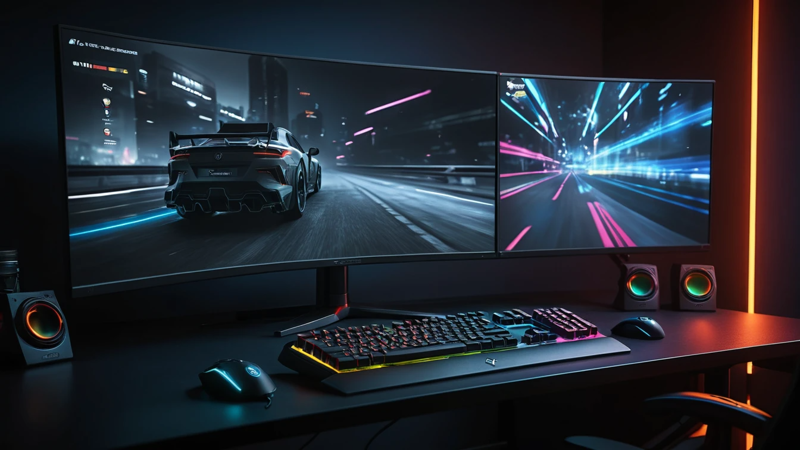
Best Gaming Monitors For FPS Games compared by speed, clarity, and price. Find the perfect high-refresh monitor for competitive shooters.
Best gaming monitors for FPS games deliver ultra-fast refresh rates, low input lag, and sharp visuals at fair prices. The right monitor can improve reaction time, tracking accuracy, and overall gameplay feel—especially in competitive shooters like Valorant, CS2, and Call of Duty.
Have you ever lost a gunfight and thought, “I swear I shot first”? 🎯
In fast-paced FPS games, your monitor can be the difference between winning and rage-quitting. Speed matters. Clarity matters. And price? Yeah, that matters too.
If you want the best gaming monitor for FPS games, here’s the straight answer:
You need high refresh rates (144Hz–360Hz), low response time, and clear motion handling, without overpaying for features you don’t need.
Let’s break it all down in a simple, no-BS way 👇
Best Gaming Monitors For FPS Games — Speed, Clarity & Price Compared 🎮
Why FPS Games Demand Special Monitors ⚡
FPS games move fast. Really fast.
Enemies peek for milliseconds, not seconds.
Standard monitors struggle to keep up. That’s why FPS players need displays built for speed. A regular office monitor creates blur, lag, and delayed reactions 😬.
Key reasons FPS games need special monitors:
- Faster refresh rates for smoother motion
- Lower input lag for instant response
- Clear visuals during quick flicks
When frames sync perfectly with your eyes, gameplay feels effortless.
Understanding Refresh Rates And Why They Matter 🔄
Refresh rate means how many times your screen updates per second.
Higher numbers = smoother gameplay.
Most FPS gamers aim for 144Hz or higher. Competitive players often prefer 240Hz or 360Hz.
Here’s why it matters:
- Smooth tracking while aiming
- Less screen tearing
- Faster visual feedback
Once you play at 144Hz, going back to 60Hz feels painful 😵.
Response Time Vs Input Lag Explained Simply 🧠
Response time and input lag are not the same. Many people mix them up.
- Response time: How fast pixels change color
- Input lag: Delay between your action and screen response
FPS games need both to be low.
Aim for 1ms response time and minimal input lag.
Lower lag = faster shots = more wins 🏆
Panel Types Compared For FPS Gaming 🖥️
Different panels behave differently in shooters. Choosing the right one matters.
| Panel Type | Speed | Color | FPS Performance |
| TN | Very Fast | Average | Excellent |
| IPS | Fast | Excellent | Very Good |
| VA | Medium | Good | Decent |
TN panels are fastest. IPS panels balance speed and visuals. VA panels lag slightly in motion-heavy games.
For pure FPS? TN or fast IPS wins.
Best Screen Size And Resolution For FPS 🎯
Bigger isn’t always better in FPS games.
Most competitive players prefer 24–27 inches.
This keeps everything within your field of vision.
Resolution tips:
- 1080p: Best for high FPS
- 1440p: Sharper visuals, still fast
- 4K: Not ideal for competitive FPS
FPS games reward speed over pixels.
Adaptive Sync: G-Sync Vs FreeSync 🧩
Screen tearing ruins immersion. Adaptive sync fixes that.
- G-Sync: Works best with NVIDIA GPUs
- FreeSync: Works with AMD and many NVIDIA cards
Both reduce tearing and stuttering.
For FPS gaming, smooth motion = better aim 😌.
Always enable adaptive sync if your monitor supports it.
Best Budget Gaming Monitors For FPS 💰
You don’t need to spend a fortune to play well.
Budget FPS monitors focus on:
- 144Hz refresh rate
- 1080p resolution
- Low input lag
| Price Range | What You Get | Ideal For |
| Under $200 | 144Hz, 1080p | Casual FPS |
| $200–$300 | IPS, better colors | Ranked play |
| $300+ | Higher Hz, premium | Competitive |
Budget monitors still pack serious punch 💪.
Best Mid-Range FPS Gaming Monitors 🎮
Mid-range monitors hit the sweet spot.
They offer:
- 165Hz–240Hz refresh rates
- IPS panels
- Better motion clarity
These monitors are perfect for:
- Valorant
- Apex Legends
- Warzone
You get smooth gameplay without premium pricing.
Best High-End Gaming Monitors For Competitive FPS 🏆
High-end monitors are built for esports.
Expect:
- 240Hz or 360Hz refresh rates
- Ultra-low input lag
- Exceptional motion handling
They shine in:
- CS2
- Overwatch
- Pro-level FPS tournaments
If milliseconds matter, this tier delivers 🔥.
Curved Vs Flat Monitors For FPS Games 🤔
Curved monitors look cool. But are they good for FPS?
Short answer: Flat is better.
Flat screens offer:
- Consistent viewing angles
- Better aim precision
- No distortion
Curved monitors suit immersion games. FPS needs accuracy, not gimmicks.
Motion Blur Reduction And Backlight Strobing 🌟
Some monitors include blur reduction tech.
This feature:
- Sharpens moving objects
- Improves target clarity
- Reduces ghosting
Downside? It may reduce brightness.
For competitive FPS, motion clarity often matters more than brightness.
Color Accuracy Vs Speed: What Matters More? 🎨
FPS players don’t need perfect colors.
They need:
- Clear enemies
- High contrast
- Fast response
IPS panels balance both worlds. TN panels sacrifice color for speed.
If you stream or edit too, IPS is the smarter pick.
Ideal Settings For FPS Gaming Monitors ⚙️
Even the best monitor needs proper settings.
Quick setup tips:
- Enable highest refresh rate
- Turn on adaptive sync
- Lower response time setting
- Disable unnecessary post-processing
Fine-tuning boosts performance instantly 🚀.
Console FPS Gaming Monitor Considerations 🎮
Console gamers have different needs.
Key features:
- HDMI 2.1 support
- 120Hz compatibility
- Low input lag
| Console | Ideal Refresh Rate | Resolution |
| PS5 | 120Hz | 1080p / 1440p |
| Xbox Series X | 120Hz | 1440p |
Console FPS gaming feels smoother with the right display.
Price Vs Performance: What Actually Matters 💡
More expensive doesn’t always mean better.
Focus on:
- Refresh rate
- Input lag
- Panel quality
Avoid paying extra for features you won’t use.
Smart choices beat flashy specs every time.
Common Mistakes When Buying FPS Monitors ❌
Many gamers regret their purchase.
Avoid these mistakes:
- Buying 4K for FPS
- Ignoring input lag
- Choosing size over speed
Always prioritize performance over looks.
Final Thoughts: Choosing The Right FPS Gaming Monitor 🎯
The best gaming monitors for FPS games focus on speed, clarity, and value.
144Hz is the minimum. 240Hz is the competitive sweet spot. IPS panels balance visuals and performance.
Pick what fits your playstyle and budget.
Your aim—and kill count—will thank you 😎.
FAQs ❓
What refresh rate is best for FPS gaming?
144Hz is the minimum for smooth FPS play. Competitive gamers prefer 240Hz. Higher refresh rates improve reaction time.
Is 1080p better than 1440p for FPS games?
1080p offers higher frame rates and faster response. 1440p looks sharper but needs stronger hardware. FPS players usually favor speed.
Do IPS monitors work well for FPS games?
Yes, modern IPS panels are fast and clear. They offer great colors with low input lag. Many FPS players now prefer IPS.
Are curved monitors bad for FPS games?
Curved monitors are not ideal for competitive FPS. Flat screens offer better aim accuracy. Most pros use flat displays.
Does a gaming monitor improve FPS performance?
Yes, it improves visual clarity and responsiveness. While it won’t increase FPS numbers, it improves how fast you react.

Top Features To Look For In A Gaming Chair – Ultimate Comfort Guide

Assassin’s Creed: Shadows Review – Stunning Stealth Comeback

5 Hidden Windows Settings That Instantly Boost Game Performance Fast

How Cross-Platform Gaming Is Breaking Barriers Between Consoles
